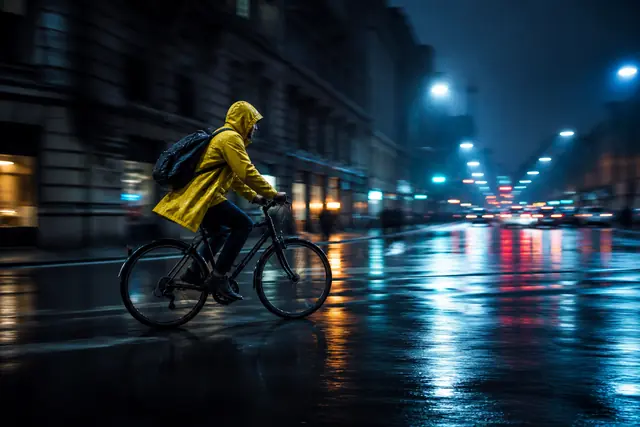
How AI Video Extender prompts work.
The source clip already provides the subject, position, background, lighting, camera angle, camera movement, color, composition, motion, environment, and visual style. Your prompt does not need to repeat all of this. It should explain what happens next while protecting the details that matter to continuity.
Weak: Continue the video.

Better: The man continues looking toward the car as the camera slowly pushes closer, maintaining the same evening lighting and composition.
A Simple AI Video Extender Prompt Formula
Subject + next action + camera movement + environment continuity. Start with action, then add only facts that protect the source or direct a visible change.
Continuity anchor
Begin with “continue the existing shot” or “the same subject continues” so continuity takes priority.
Subject
Name the subject only as specifically as continuity requires. The source already supplies most appearance details.
Action and motion
Use a physical verb. Add direction and speed: continues forward, turns slowly, or rolls toward shore.
Camera
Direct one behavior: locked, push-in, pullback, pan, tilt, tracking, orbit, or crane movement.
Continue the existing shot as [SUBJECT] [NEXT ACTION].
The camera [CAMERA MOVEMENT].
Keep [ENVIRONMENT / LIGHTING] consistent.
The motion remains [PACE / DIRECTION].
Build an AI Video Extender Prompt Step by Step
Describe what happens at the end
Observe the final action, screen direction, speed, camera path, and surroundings.
Describe the next action clearly
Use one physical verb: continues walking, turns toward the window, or completes the rotation.
Use camera movement
Continue the camera path or choose one compatible movement. Avoid conflicting instructions.
Preserve the environment
Mention only important facts such as the same room, warm light, rain, snow, or road.
Describe motion, not appearance
The source shows appearance. Prioritize action, direction, speed, camera, and endpoint.
A Beginner-Friendly AI Video Extender Prompt Structure
Use: “The same [subject] continues [action] while the camera [movement]. Keep [environment and lighting] consistent.” Example: “The same woman continues walking toward the doorway while the camera tracks behind her. Keep the warm hallway light and background unchanged.”
An Advanced Prompt Framework for AI Video Extension
Organize demanding prompts as continuity anchor, subject, action, camera, environment, and style or pace. Every field should serve the transition.
Continuity anchor
Preserve the established visual logic.
Subject
Identify the same person, object, vehicle, or focus.
Action
State one event with direction and speed.
Camera
Define one movement, distance, or locked viewpoint.
Environment
Protect location, geometry, weather, and objects.
Style
Maintain light, atmosphere, cadence, and an editable endpoint.
15 AI Video Extender prompt examples
Adapt each example to the visible evidence in your source. Reuse the structure, not unrelated scene details.
1. Walking scene
“The same woman continues walking toward the station at a steady pace while the camera tracks behind her. Keep the red coat, wet street, and cool evening light consistent.”
2. Cinematic landscape
“Continue the slow aerial move toward the mountain ridge as morning mist drifts through the valley. Maintain the sunrise direction and calm pace.”
3. Product video
“The perfume bottle remains centered while the camera slowly pushes closer. Preserve the black background, amber rim light, label, and glass shape.”
4. Beach scene
“The waves continue rolling toward shore as the camera gently pans right. Keep the low sunset light and natural sea-spray movement.”
5. Car scene
“The silver car continues around the mountain curve at the same speed while the side-tracking camera maintains its distance.”
6. Fashion video
“The same model takes two more steps toward camera and settles into a full-body pose. Preserve the outfit, runway, and blue-magenta lighting.”
7. Nature video
“The deer continues across the clearing as grass moves in the same breeze. Keep the long-lens camera locked and forest light soft.”
8. Indoor scene
“The woman continues toward the window and pauses while the camera slowly pulls back. Maintain the warm room light and furniture positions.”
9. Travel video
“Continue the forward glide through the old street while pedestrians move naturally. Preserve the warm afternoon light and steady camera speed.”
10. Food video
“The hand finishes pouring sauce over the dish while the overhead camera remains locked. Keep the warm light and table arrangement unchanged.”
11. Architecture
“The camera continues tilting upward along the facade and settles on the roofline. Preserve the vertical lines, cloudy sky, and neutral daylight.”
12. Ocean scene
“The camera continues moving above the water as swells pass beneath it. Keep the horizon stable and overcast atmosphere consistent.”
13. Character scene
“The same warrior continues along the snowy path and turns slightly toward the ridge. Keep the dark clothing, rear angle, and cold light.”
14. Action scene
“The runner continues down the damaged street as the camera tracks backward at matching speed. Keep debris, smoke, and screen direction consistent.”
15. Minimal motion
“The speaker completes the hand gesture, looks toward camera, and settles naturally while the framing and key light remain unchanged.”
How to Write AI Video Extender Prompts for Different Video Types
Cinematic videos
Name a restrained camera path, immediate story beat, lighting motivation, and useful final composition.
Product videos
Protect geometry, label, material, and light. Use a simple rotation, centered hold, or controlled push-in.
Social media videos
Complete one gesture or reveal and end with room for captions, a logo, or a call to action.
Nature and travel videos
Continue wind, water, clouds, people, vehicles, or camera travel while preserving weather and horizon.

How to Use Negative Prompts for Video Extension
When supported, use short negatives for a recurring failure: no new characters, no sudden camera rotation, no lighting change, or no background replacement. Positive direction must still explain what should happen. A long list of prohibitions cannot repair an unreadable source.
Common AI Video Extender Prompt Mistakes to Avoid
“Just continue the video”
Name the next visible action and compatible camera behavior instead of leaving the continuation undefined.
Repeating the entire original prompt
The source already contains appearance and location. Repeat only the facts that protect continuity.
Adding too many new events
Several actions, characters, and locations compete. Request one continuation beat.
Ignoring camera movement
State whether the current camera path continues, slows, remains locked, or settles.
Introducing new characters
New people add identity and staging problems. Keep the current subject unless a new arrival is essential.
Changing the environment
Preserve the location, weather, and light unless the transition is intentional.
Making the prompt too vague
Replace beautiful, epic, or cinematic with observable action, direction, pace, and camera language.
How to Improve a Poor AI Video Extension Result
Diagnose the visible failure and change the smallest relevant part of the source or prompt.
The subject changes
Use a clearer boundary and repeat only essential identity anchors such as the same character, clothing color, hairstyle, or silhouette.
The camera jumps
Describe the current relationship physically: locked framing, forward track, side tracking, pan right, or gradual pullback.
Lighting changes
State the existing time of day, light direction, exposure, and atmosphere.
The background changes
Name the same location and important background elements. Remove wording that implies a new place.
Motion is too fast
Use slowly, gradually, steadily, gently, or at the same speed, and reduce the number of actions.
Reusable AI Video Extender prompt templates
“Continue the existing shot as [subject] [one next action]. The camera [behavior]. Keep [environment or light] consistent.”
“The same [character and identity anchor] continues to [action] at [pace]. Preserve [clothing, viewpoint, lighting, and location].”
“Keep [product] centered and unchanged as [simple action]. The camera [controlled move]; maintain [background, reflections, and lighting].”
“Continue as [subject] [action]. The camera [one precise movement]. Maintain [light, atmosphere, and setting], ending on [editable composition].”
“The [subject] completes [small gesture] and settles naturally. Keep the camera locked and preserve the existing environment and light.”
How long should an AI Video Extender prompt be?
Use enough words to make the next visible beat unambiguous and no more. One to three focused sentences are often sufficient. Remove decoration that does not affect subject action, camera, environment, lighting, pace, or endpoint.
Plan Your Ending for a Smoother Video Extension
If you expect to extend a clip later, design a clear boundary with a stable pose, readable silhouette, compatible camera velocity, and unfinished action. Avoid ending during severe deformation, obstruction, an abrupt cut, or a lighting transition.
A Professional AI Video Extender Prompt Workflow
Analyze the last moment
Record identity, screen direction, camera, light, environment, and unfinished action.
Define one continuation
Choose the next beat that serves the edit.
Write the first prompt
Use the shortest formula that directs action and protects continuity.
Generate and evaluate
Review the first generated second and complete transition.
Refine one variable
Change boundary, action, camera, pace, environment, or endpoint one at a time.
AI Video Extender Prompt Best Practices
Use a clear boundary with readable identity, motion, background, and light.
Describe one action, one camera behavior, and essential continuity facts.
Inspect the join, compare candidates, and keep only footage that works in the complete sequence.
AI Video Extender Prompt FAQ
What is the best prompt for AI Video Extender?+
The best prompt fits the source. It describes one next action, one compatible camera behavior, and only the environment or identity details needed for continuity.
How do I write an AI Video Extender prompt?+
Watch the final seconds, identify unfinished motion, and write what happens immediately next. Add direction, pace, camera behavior, and essential constraints.
Should I describe the last frame in my prompt?+
Describe details only when they must remain stable. Focus mainly on motion and the few visible facts that protect the transition.
How long should an AI video extension prompt be?+
One to three focused sentences are often enough. Clarity matters more than word count.
Can I use the same prompt for every video?+
Reuse the formula, not the scene facts. Every source has different subjects, motion, framing, lighting, and unfinished action.
How can I make AI video continuation more consistent?+
Use a clear boundary, preserve motion and light, avoid unnecessary changes, and revise one important variable at a time.
Why does my AI video extension change the character?+
The boundary may be blurred or the prompt may redefine the person. Use a clearer frame and reinforce only essential identity anchors.
Should I use negative prompts?+
Use short negative instructions only when the model supports them and a recurring failure needs correction. Positive direction should remain primary.
Can I extend the same video multiple times?+
Where supported, continue from an approved extension and review each stage because drift can accumulate.
What is the most important rule for AI video extension prompts?+
Describe the immediate continuation of the footage you have instead of asking for an unrelated new scene.
A Complete AI Video Extender Prompt Formula
Continue the existing shot with the same [SUBJECT].
The subject [ONE NEXT ACTION] at [PACE / DIRECTION].
The camera [ONE COMPATIBLE MOVEMENT].
Preserve [LOCATION, LIGHTING, IDENTITY, AND OBJECTS].
End on [CLEAR EDITABLE MOMENT].
Describe the immediate continuation of footage you already have. Let the source establish appearance and use the prompt to direct motion and protect continuity.